dbt for Beginners: What It Is and Why It Won
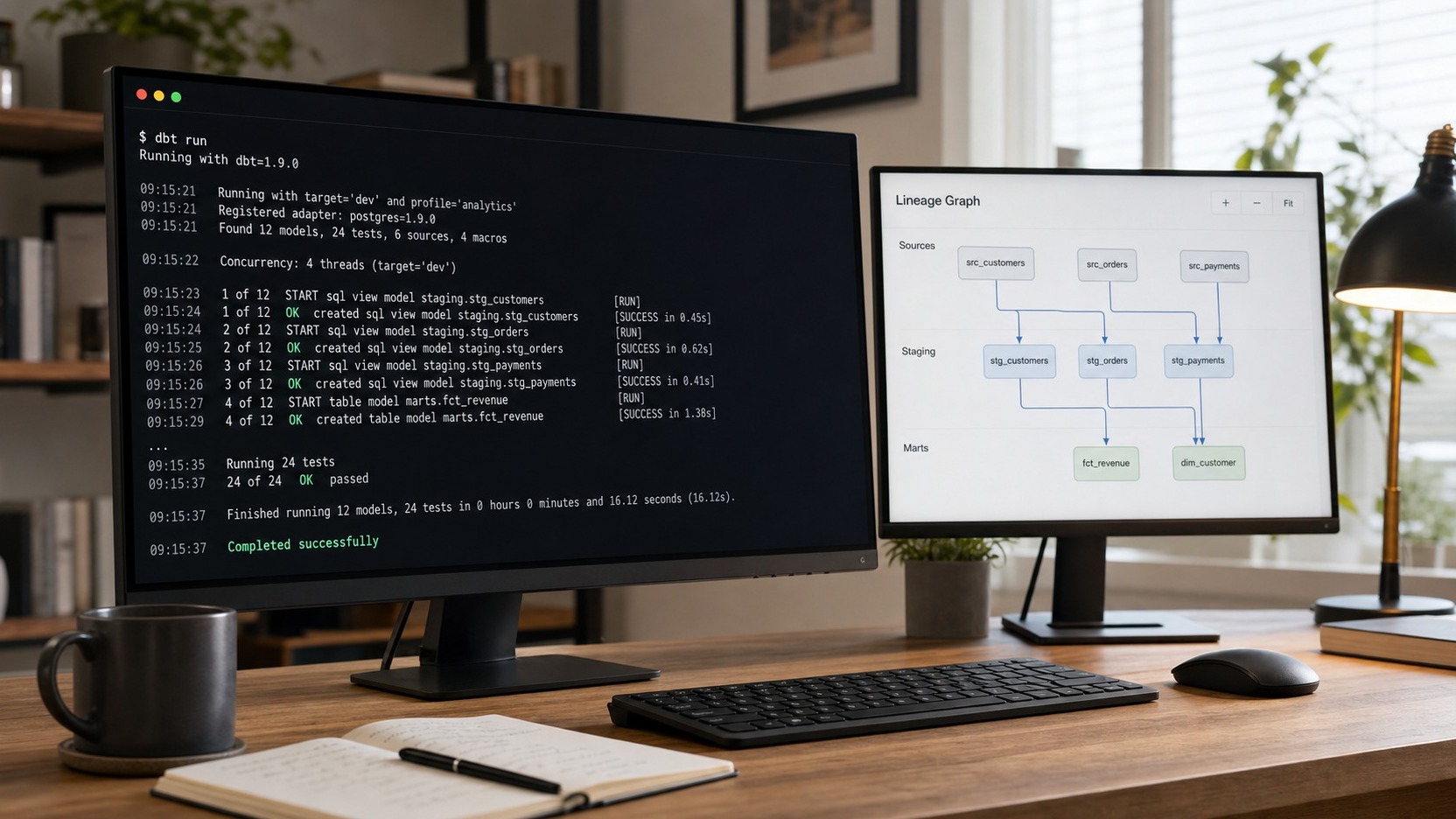
If you’re looking for a dbt for beginners guide that skips the marketing and gets to what the tool actually does, this is it. dbt — data build tool — became the default way analytics teams transform data inside a warehouse not by being clever, but by bringing three habits software engineers already had (version control, testing, documentation) to SQL analysts writing queries in isolation. If you know SQL, most of dbt will feel familiar within an hour.
What dbt actually is (and is not)
dbt stands for data build tool. Its job is the T in ELT — transformation. It takes raw data already in your warehouse and turns it into clean, analysis-ready tables. That is the entire scope.
What dbt is not matters as much. It is not an ingestion tool — it does not replicate a database, connect to Stripe, or load anything. It has no storage of its own. dbt compiles SQL and sends it to the warehouse; the warehouse does the compute. If data hasn’t been loaded yet, dbt has nothing to act on. Keep that boundary clear and most beginner confusion disappears.
How dbt works: models are just SELECT statements
A dbt model is a single .sql file containing one SELECT statement. When you run dbt, it reads that SELECT, wraps it in the appropriate DDL (CREATE TABLE AS or CREATE VIEW AS), and sends it to the warehouse. The file name becomes the relation name: orders.sql produces a relation called orders.
Materializations control what gets created: view (a virtual query — the default), table (data written to disk on every run), incremental (appends or updates only new rows), or ephemeral (a CTE injected into downstream models, never stored directly). The defaults are sensible; you override them only when performance or run frequency demands it.
The three ideas that made dbt win: ref(), tests, docs
ref() — Instead of hardcoding FROM analytics.raw_orders, you write FROM {{ ref('raw_orders') }}. dbt reads those references across your project, builds a dependency graph (a DAG), and runs models in the correct order automatically. ref() makes run order automatic, eliminates hardcoded table names, and lets dbt resolve the right schema for dev, staging, or prod without touching a single SQL file.
Tests — dbt ships with four built-in generic tests you apply in YAML without writing SQL: unique, not_null, accepted_values, and relationships. One line of YAML asserts that order_id is unique and never null; dbt verifies it against the warehouse on every build. Bad data fails the test before it reaches a dashboard. The data quality checks guide goes deeper on that discipline.
Docs — Descriptions written in YAML alongside your models compile into a browsable data catalog. It’s documentation that stays current because it lives next to the code and regenerates from the same source.
Worked example: from raw to a clean model
Say an ingestion tool has loaded a raw orders table into your warehouse. Here is how two dbt models chain together:
- stg_orders.sql — selects from the raw table, renames columns to snake_case, casts the order date to a
DATEtype, and filters out test orders. Clean, but not yet shaped for analysis. - orders.sql — references the staging layer with
{{ ref('stg_orders') }}, joins in{{ ref('stg_customers') }}, and derives fields like revenue after discount.
Because orders.sql uses ref('stg_orders'), dbt builds stg_orders first — automatically, with no manual scheduling. This staging-to-mart pattern maps neatly onto the star schema shape most analytics warehouses adopt.
dbt Core vs dbt Cloud
dbt comes in two forms. dbt Core is the free, open-source CLI — install it, point it at your warehouse credentials, run it from a terminal or your own orchestrator. dbt Cloud is a paid hosted product from dbt Labs that adds a web UI, a managed scheduler, and a browser-based IDE. The transformation engine is the same; the difference is infrastructure and convenience.
| Feature | dbt Core | dbt Cloud |
|---|---|---|
| Cost | Free & open-source | Paid hosted product |
| Interface | CLI (terminal) | Web UI |
| Scheduling | You provide (cron, Airflow, etc.) | Built-in scheduler |
| IDE | Your local editor | Browser-based |
| Docs hosting | Self-hosted | Managed & shareable |
| Good for | Teams with existing orchestration | Teams wanting managed infra |
The right choice follows your team’s setup and budget — neither is inherently better for every situation.
Where dbt fits in your stack (and where it doesn’t)
dbt lives at the transformation layer of the modern data stack — on top of the warehouse, below the BI tool. The ingestion layer must load raw data first; without that, dbt has nothing to select from. Once it runs, the clean tables it produces are what analysts and BI tools query directly.
What dbt does not handle: connecting to source systems, scheduling pipelines end-to-end, storing data, or rendering dashboards. It has one job. The team role that grew up around owning that job — applying software engineering discipline to SQL transformations — is what the analytics engineer role describes.
Common beginner pitfalls and how to start
Most dbt mistakes are versions of the three habits the tool was built to replace:
- Hardcoding table names:
FROM schema.raw_orders - Skipping tests because the data “looks fine”
- Over-modeling from day one — 30 models before anyone uses the first
- Always use
{{ ref() }}— let dbt manage dependencies - Add
uniqueandnot_nulltests to primary keys immediately - Build one staging model and one mart model; prove the pattern first
To start: install dbt Core, connect it to a free-tier warehouse (BigQuery, Snowflake, and DuckDB all have free options), and run dbt init. Build one staging model, run dbt run, then add a not_null test and run dbt test. That loop — model, run, test — is the whole workflow in miniature.
Frequently asked questions
Is dbt an ETL tool?
No. dbt handles only transformation — the T in ELT. It does not extract data from sources or load it into the warehouse. Your data must already be there before dbt can act. Extraction and loading belong to separate ingestion tools earlier in the pipeline.
Do I need to know Python to use dbt?
Not to write models — those are SQL files, and configuration is YAML. Python is required only to install dbt Core (it is a Python package installed via pip). dbt supports Python models in some warehouses, but that is an advanced feature beginners can ignore entirely.
Is dbt free?
dbt Core is free and open-source; no account needed. dbt Cloud is a paid hosted product with a limited developer tier. Most teams start with dbt Core and move to dbt Cloud when they need collaborative scheduling or managed docs hosting.
dbt Core or dbt Cloud — which should a beginner start with?
Start with dbt Core. Install it locally, connect it to a free warehouse, and run it from the command line. Everything transfers to dbt Cloud later if you need it. Upgrade when you need shared scheduling or a collaborative IDE — not before.
dbt won by making SQL analysts feel like software engineers without asking them to learn a new language. If you’re still building the wider picture, start with the modern data stack overview to see where dbt sits relative to ingestion, storage, and BI. For the upstream pattern dbt depends on, the ETL vs ELT guide explains why loading before transforming became the default.
Last updated: July 6, 2026


Comments
Post a Comment